Saturday, August 25, 2012

An Exciting Time to be in Education by Laura

A few days ago, I received an email with the subject line "How to separate an egg."  I didn't know the sender.  This didn't concern me at all.  I subscribe to a listserve and frequently get emails from strangers.

The email contained a message enthusing that it was a beautiful example of air pressure at work.  Below, presumably from another sender since was written in a different font, was the reassuring advice that I shouldn't worry if I couldn't understand the words.

Here is the video:


Whether you are a cook or a science teacher, I hope you enjoyed it.  As much as I enjoyed the movie-- and probably will use it (or do the demonstration live) when I teach air pressure-- I really enjoy thinking about the path this movie took to make it to the blog.

This little video came from a teacher who I don't know, who also subscribes to the listserve.  She was enthusiastic and wanted to connect with colleagues-- during the summer no less, when cynics think teachers are on vacation.  The movie was filmed far away, and not in English.  Through YouTube it's possible to see it anywhere.  Some creative teacher made the connection from cooking to air pressure and voila-- we see the movie here.  Amazing, really.

Very early in my teaching days I took a position as a long term sub teaching earth science.  I had some general background, but was not an earth science teacher.  It was very difficult to find resources.  The school had a few, but it was very hard to tell if an activity would work.  I was the only earth science teacher in the school and had no colleagues to ask.  Frankly, it was not a joyful experience.

Now I get a daily serving of advice, visuals, and activities delivered to me.  Whenever I want, I can seek more-- through Twitter or a multitude of web sites.  Even through the long summer weeks, I am not isolated from other educators.  It's an exciting time to be in education.


Friday, June 1, 2012

What is Authentic, Real Life Learning? By Shirley


As teachers, we often talk about “the real world” and discuss “real life learning” believing that somehow our students know what we mean. I often wonder if they do understand and challenge myself to find out what more I can do to make learning real for them.

We do a lot of project and problem solving learning at PDS and try to be as authentic as possible. This year my 6th graders participated in a global conference in Geneva with a panel of futurists, connected with other schools around the world during a 20/20 Education for All Challenge, worked in local service learning projects and Skyped with authors and other people globally. Is this enough?

Our latest “real life” project has been to help to design, plan and soon build a solar studio for our school to share. This came about through one of our parents, Glen Callahan from American Green Home Builders who generously offered to sponsor and create this exciting project that would involve the kindergarten and their 6th grade buddies.

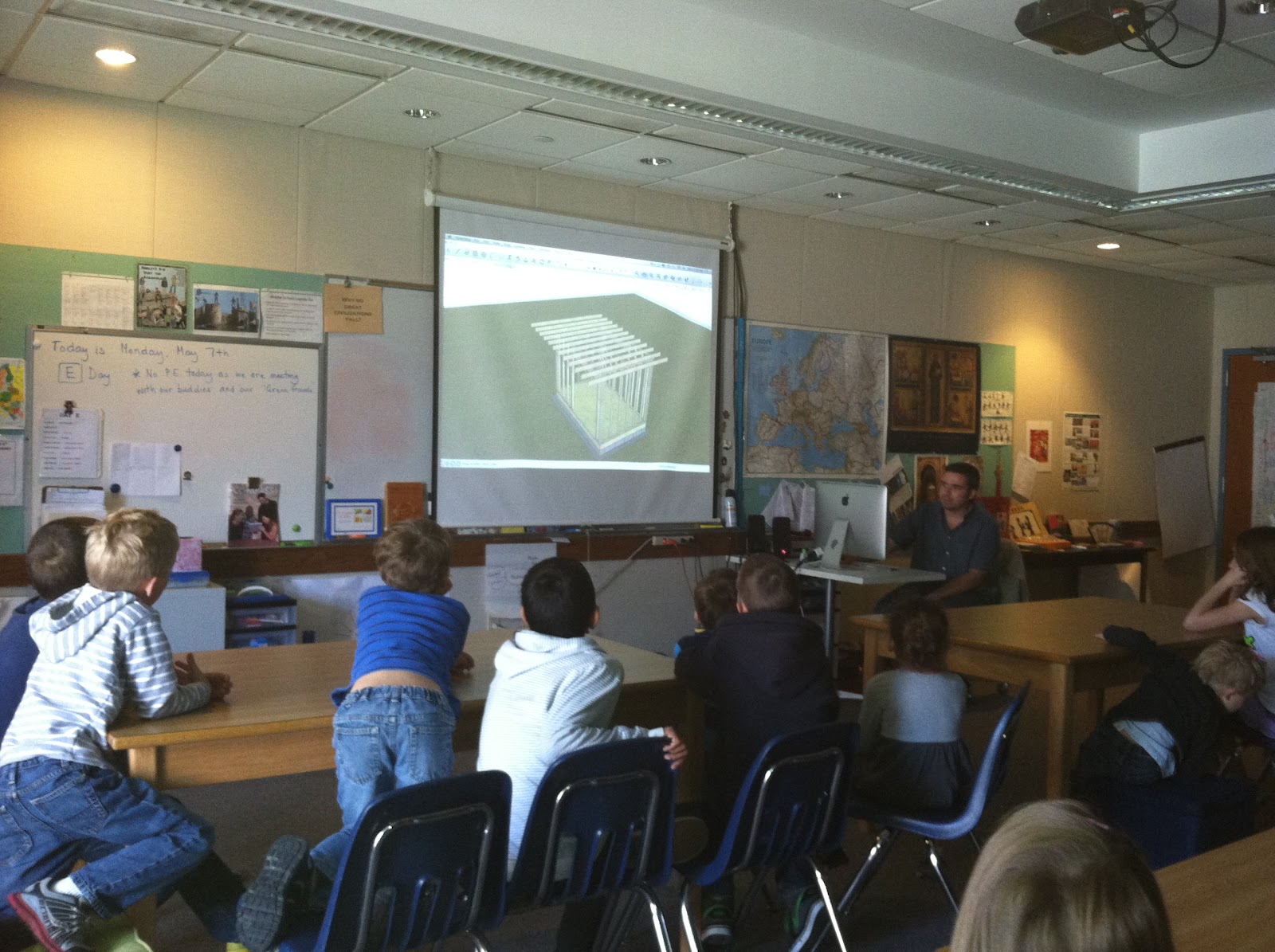
Big and little students were so excited when Glen’s team came to tell us more about this project and ask for our ideas and suggestions. They showed us amazing buildings using Sketch Up (a program many of my students are familiar with) and explained all the reasons for building a “green “ structure.  Our students enthusiastically came up with a whole bunch of great ideas for this dream studio…some unrealistic and some very doable. Some of the most important details in their sketches were seating, electricity, charging stations and windows.

Glen's team presenting their idea to our students
We then used buddy time to worked in small groups to design our own buildings using Sketch Up. The older students became the teachers, explaining the program and guiding their little buddies so they could create their own dream playhouses.

One of the student plans…
We then waited on the final plans to arrive.....

Glen’s team eventually arrived enthusiastically with their computers and tools, as excited students watched the plans being revealed. Included was the important seating, windows, electricity and charging stations… and everyone was delighted.  We learned a lot about how this building would be energy efficient by finding the right angle for our building and how the roof overhang would regulate the amount of sun coming in for winter heat and shade for cooling in the summer. Students were surprised to find out that Sketch Up tools were used to determine the amount of sun and that they are available for anyone to use.

The plans for our solar studio.
The next words were music to my ears as these architects, engineers and builders talked about using open source material to learn new strategies for efficient building, sharing tools with other companies to build more efficient buildings, building on their knowledge and adding to other people’s knowledge. We talk about modeling for our students so what better way than this; to have real people with real jobs share their life long learning with us.

Our next step was to take a field trip to the American Green Homes facility in Kingston, NY and watch as some pre fab structures were being built.  Everyone was amazed at the size of the factory and the huge tools used for construction. I think we had several students who would like to try their hand at this kind of work.  Lunch in the architect's office helped us feel part of the company for the day and we even had an unexpected side trip to behind the factory where a number of antique trains were stored for restoration. Of course, we had to finish off with some ice cream after our day’s work.

Antique Train
Enjoying a break with ice cream
Executive Meeting

A wall almost completed


We are now waiting in anticipation as our walls are built, insulation and wiring inserted and windows installed. The pre fab pieces will soon be delivered to our school and our students will help with some of the assembly. So in this case, I think these students understand and have lived authentic, real life learning…


Thursday, May 31, 2012

The First Time I Used a Computer to Teach by Laura

The first time I ever used a computer to teach was in 1989.  I was a student teacher.   I was teaching evolution, and my soon-to- be husband, a scientist, was experimenting with a two year old taxonomy program called MacClade.

MacClade is a software program that helps evolutionary biologists make a type of family tree (called a clade) in order to analyze how organisms are related in evolutionary time.  I  thought that the program would help my students understand the concept that organisms demonstrate that they are related through shared characteristics inherited from a common ancestor.  This is an important concept in science, and it is also a slippery one to grasp.


If the school had a computer lab, I never saw it.  MacClade runs on the Apple operating system, so we carried my Mac SE into my classroom and set it up as a learning station. Students liked working with the program, and I don't recall their being focused on the computer itself, although they must have been to some extent. 

The memory hit me recently in the context of what it means to educate using technology.  In the days before 1:1 laptop programs-- in the days before laptops at all-- being able to use a computer in class was important.  It was not, though, an end in and of itself.  The Mac SE and the program were part of my class so that I could teach a difficult concept.  The learning drove the decision-- and the access to technology helped the learning a great deal.


Tuesday, May 15, 2012

Why Do We Use Technology In School?


This is a question I am often asked by parents at the beginning of 6th grade when students are required to have a laptop for our middle school program. I tend not to say too much, but show them through other students’ work why I think it is essential to be tech savvy in this ever changing world.  The words that do come to mind when thinking about this question are - excitement, passion, empowerment, creation, collaboration and sharing globally.

I recently sat through a long but exhilarating day of student led conferences where my 6th grade students had used their technology skills to plan, create and share a presentation about themselves as learners. They all used Google presentations and although the frills and level of content differed, each and every student was able to stand proud and share with their parents some very thoughtful reflections about their strengths, challenges and goals. I was amazed at their clarity and conviction of how important their learning was to each one. Parents were delighted to hear the level of self-awareness their children possessed, and one father stated that if this was a job interview, he would definitely hire his son. He also said that he knew many adults who could not do what his son had just accomplished.

So what does this really have to do with technology? I have had very successful student led conferences in the past where students have prepared similarly with observations, reflections and goal settings with a packet of information and work to share.

So what was the difference?  Technology - Google Presentations…

1.     The creation of a presentation that was meaningful to the students
2.     The presenting of themselves, which was so empowering for each student (not reading off a packet of papers)
3.     Students being in total charge of the conference
4.     Making it real by doing what adults in many professions

This was real to the students…they were in charge; reflecting on themselves as learners, creating something powerful and sharing with others. 

I can't wait for the next round....


_________________________________________________________________________________________________

Sunday, April 15, 2012

What do your students know about Copyrighted work?


What do your students know about copyright? 
By Shirley


How many students and teachers download their favorite music or find pictures on Google Images to copy or embed into their papers, reports and projects, without even thinking that copyright  applies to them? Over the past few years, my students have been using a variety of online sites, and web 2.0 tools to share their work with people around the world, and it has become very clear that copyright applies more online than anywhere else in their daily school life. Fair Use Policy for educators no longer applies when teachers and students are creating and sharing globally.

Copyright Laws have always been difficult to understand and decipher because of the legal terminology and the fact that educators are under the misguided impression that anything can be used for students and teaching as long as it is for educational purposes. The basic rule is that everything is copyrighted unless stated otherwise. Of course these laws were passed before digital copyright was an issue.


Picture by Stuart Miles From Freedigitalphotos

Taking an online course and being part of an Edublog Challenge a few years ago really started me thinking about what was legal to copy or embed and what was not.  And so I found a number of useful sites for public domain pictures, copyright free pictures, Creative Commons (CC) pictures and free music sites – lifesavers in students’ lives so they can use those great pictures to illustrate their work and play background music to enhance their project or presentation, of course with the correct attribution. Attribution should include a link to the site being used and the name of the author, photographer etc.


Teaching about Copyright is an essential part of teaching technology today, especially when students are creating and sharing more of their work globally. Watching videos about copyright, finding helpful sites and using examples with correct attribution have helped my 6th graders become more aware of copyright laws. 


Edublogs has a very helpful page for understanding copyright restrictions and this You Tube video is also enlightening for students... 


Here are some useful links for finding usable pictures and free music…


One of my 6th graders recently found an ideal picture to use in a wiki page he was designing and creating on medieval architecture and arts, but realized that the site he has used, The Canadian Center for Architecture, had a copyright license on all of their art in the collection. Lukas decided to email the curator and ask permission to use this picture.  Within two days he had received an interesting reply, Thank you for your email and your interest in the CCA Collection. Since this particular image is from the 17th century, it is out of copyright (or in the “public domain”). It will not be necessary to obtain our permission for the use in your wiki. We would love to see your wiki page once it has been completed. If you want to, please send us the link and I will show our curators here at the CCA.I f you have any questions, please feel free to contact me. Good luck with your project!”

                                                                                      Courtesy of the Canadian Centre for Architecture.

Another student, Manny was making a Voki about Poet’s Walk, (which is a favorite local spot) to embed into his blog page and found a local photographer’s pictures that were copyrighted. He also decided to e-mail the owner of the site and ask permission to use two pictures. He too received a great email , “My photographs are copyrighted, so I do appreciate your requesting permission to use the photographs. Normally I do charge for use on a website, but I will waive my fee and you do have my permission to use both photographs in your blog.  Please give me photo credit – Linda T. Hubbard. And please send me the link when you finish your project, as I would like to read it. Please let me know if I can help you any other way.  You have picked two of my favorite places. 


A link to Manny's blog page with his voki and picture.

What a great real life learning experience for these two students who obviously understand the moral issue in this copyright confusion and were able to follow the process to successfully work with copyright restrictions. As we use more technology in schools there will be many more similar questions to investigate and new problems to solve.

Saturday, March 3, 2012

Using Backchanneling in the classroom by Shirley


Back in September our middle school watched an inspiring Ted Talk by William Kamkwamba, a young man who developed a windmill to power electricity for his village in Malawi. My 6th grade students were so enthralled by his story that I decided to make William's biography The Boy who harnessed the Wind a read aloud book for class. Each day, my students would eagerly gather in our meeting corner, with a variety of pillows, ball chairs and floor chairs awaiting the next chapter of William's story. 

Our discussions during these read aloud times became very powerful as students compared living conditions, houses, jobs, schools and life in general to that of their own. Their general conclusion was that we have so much and they have so little. It was difficult for 6th graders to comprehend that this story took place not a hundred years ago but as recently as the 1990's. At the same time, students could see some benefits in this simpler life…playing outside in the fields with handmade, creative toys and building a multitude of projects with whatever could be found…quite appealing to many of my 6th graders.

The one problem that became apparent all too often during this time was the time spent in discussion and the fact that not everyone was able to share their thoughts, ideas and opinions every time we met. We then talked about what we could do to improve this situation...students suggested using name cards, having only a certain number of comments each class, taking turns from a list etc. but nothing we came up with really solved the problem.

Recently, I participated in a conference online using Todaysmeet and thought...why not use this in class for a silent discussion and see how it works? Todaysmeet is a platform where a number of people can very easily and quickly sign into a private chat room and discuss whatever topic is chosen. 

I began my class next day by asking everyone to stay seated at tables for our read aloud and explained that we were going to experiment with a new social media tool. I quickly explained what I had used and then had everyone sign into our room called Boy and gave two tasks that everyone had to complete.

1) Everyone must write at least one statement, opinion or question during the read aloud session.
2) Everyone must comment on someone else's statement, opinion or question.  

I had the online chat projected on our screen so that we could all follow what was being said.

For about ten minutes I read aloud and then stopped. There was silence around me and I didn’t know what to expect… 

I asked who still had to write something for number 1, expecting a bunch of quieter students to say they hadn’t yet. To my surprise, all students had written at least one comment. In fact, everyone had responded at least once and most were on their second or third comment. Not only had all students commented but they had also responded to someone else. I continued to read and the discussion stream continued to grow.

When we were finished, we took a few minutes to look over our discussion on Todaysmeet and I was surprised to see many thoughtful and thought provoking statements, opinions and questions. My next step was to ask the students how this experiment went. Overwhelmingly the outcome was positive and all students said this was a fun and fair way to have our discussion. The one negative – it was difficult to listen and comment at the same time. Students had two comments to make about this…it may get easier as we do it more and next time we could stop reading and thendcomment. It was unanimous that we try it again.


Our first attempt at backchanneling was a definite success and it brings me back to my constant mantra that to use technology successfully in the classroom teachers must be willing to try and experiment with new tools. It is not necessary to be an expert and it is so much fun to learn along side our students.

Friday, March 2, 2012

National Digital Learning Day by Laura

February 1, 2012 was the first ever national Digital Learning Day. Schools around the country participated with nearly two million students participating in some way.

Poughkeepsie Day School is a technology enhanced place of learning.  Because our students use laptops in every class, we know that digital learning takes place consistently.  For Digital Learning Day, we decided to celebrate what the teachers were learning.  In the week preceding February 1st, we wrote to our colleagues daily, asking them to try to learn one  new thing.  We didn't care if the new thing was a technique or tool, or if it was particular content learned through digital means.  We also thought that both professional and personal learning was appropriate--anything adults learn in one area of their lives cascades to enhance the other.

We set our 6th and 7th graders off on Digital Learning Day to film as many teachers, staff and administrators as possible.  When the footage was strung together, we had video of well over ten minutes!

After an extensive editing process, a two minute movie has emerged.  For me, this was a learning experience in itself.  I am gradually trying to accumulate some iMovie skill.  I know I have a lot to learn!  The movie is framed by the words of Will Richardson.  He has been a strong and articulate proponent of teacher engagement with digital learning in order to create 21st century bold schools that prepare students to take advantage of the myriad of ways they can learn.